Next-Generation Cyber Traps: Fake AI-Themed Websites

AI technologies draw more interest every day. Some use them to do their homework, some for recipes, and some rely on AI heavily in their work to make money. As this developing technology becomes a part of our daily lives — with many AI variants emerging like ChatGPT, DeepSeek, Gemini and Claude — the number of people in the cyber world weaponizing that interest against others is rising too.
Now we are facing a new danger: fake AI websites.
According to a recent report published by Google's Mandiant Threat Defense team, malicious actors have started targeting users by designing fake AI websites.
These are nothing like the classic virus sites. On the surface everything looks fine — a clean design, a familiar name, sometimes even professionally-backed advertisements.
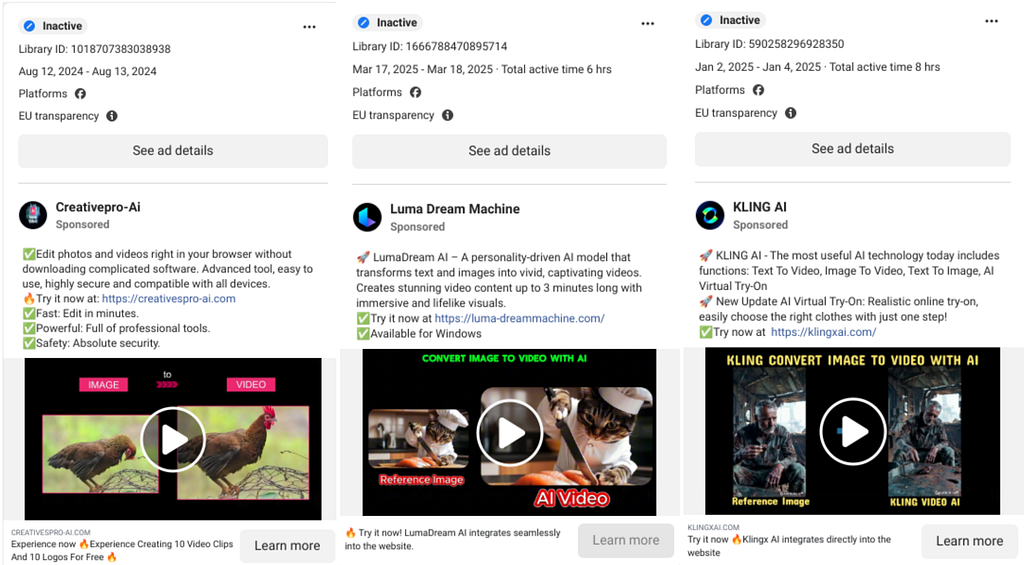
What Are These Fake AI Sites?
To put it simply:
Attackers make exact imitations of well-known AI tools like ChatGPT or Gemini. The site address is similar, the interface is similar, and sometimes even the text is identical.
But the purpose of these sites is not to offer you an AI service. The real goal is:
- Stealing your information
- Infecting your device with malware
- Or redirecting you to another trap
What's more, these sites can appear in search results too. When you search Google for something like "download chatgpt free", they can even be at the top.
Who Is Being Targeted?
Everyone who uses AI.
Considering that everyone from the young to the old — even people with no connection to technology — uses AI, anyone can fall into this trap. These fake sites are usually crafted to rank at the top of search engines, and some even reach users directly by advertising on various social media platforms. Because the visual and content design is almost an exact copy, telling the difference from the real thing takes a great deal of care.
How Are People Lured In?
These fake sites usually follow 3 different paths to trap people:
1. Using site names similar to the real ones:
- By using names and logos very close to the real ones, they make themselves hard to distinguish. For example: chatgbt.ai, chat.openaai.com, genini.com
2. SEO and Advertising
- SEO is defined as the optimization work done on your websites to increase the organic visibility of your products and services in queries on Google, Bing, Yandex and other search engines.
- Using SEO and ads, attackers advertise on platforms like YouTube, Instagram, Facebook and Google, and boost the apparent activity and visibility of their sites with fake reviews.
- Thanks to their ads, when you search with titles like "ChatGPT Premium", Google shows them at the top and gets you to visit their site.
3. Looking like the real site with a realistic interface:
- They present a login panel just as if it were a real AI site. When you enter your username and password, you hand your information directly to the attacker.
Let's Get Technical: How Do These Sites Deliver Viruses?
In this part of the post let's go a little deeper into the technical side. Because these traps don't work on appearance alone. So how do they deliver these viruses? Let's first look at a real scenario, and then see how they do it through our own application.
1. Baiting
Let's suppose a user searches Google for:
"Luma AI Free"
The first site that appears is lumalabsai.in. The attackers first create a fake website that will catch users' attention.
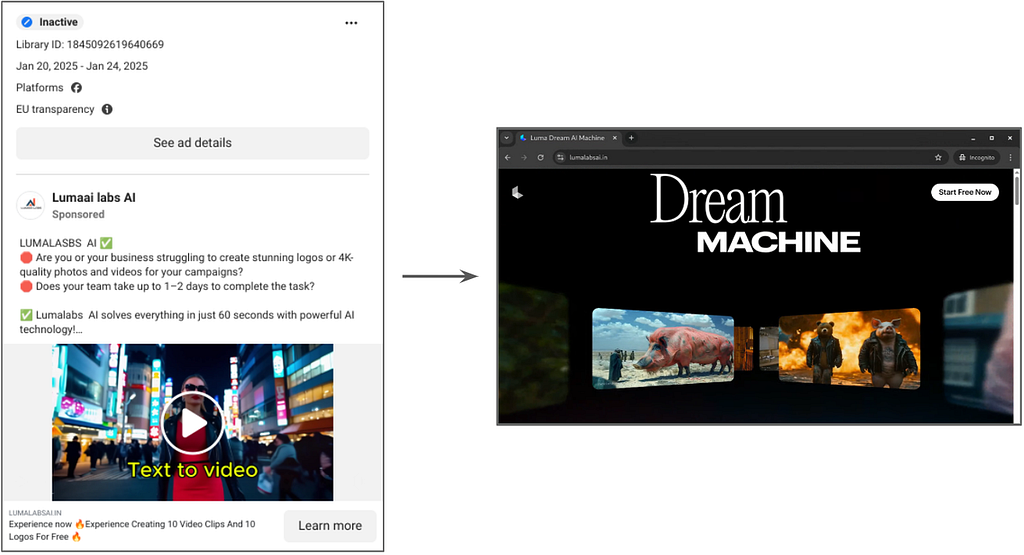
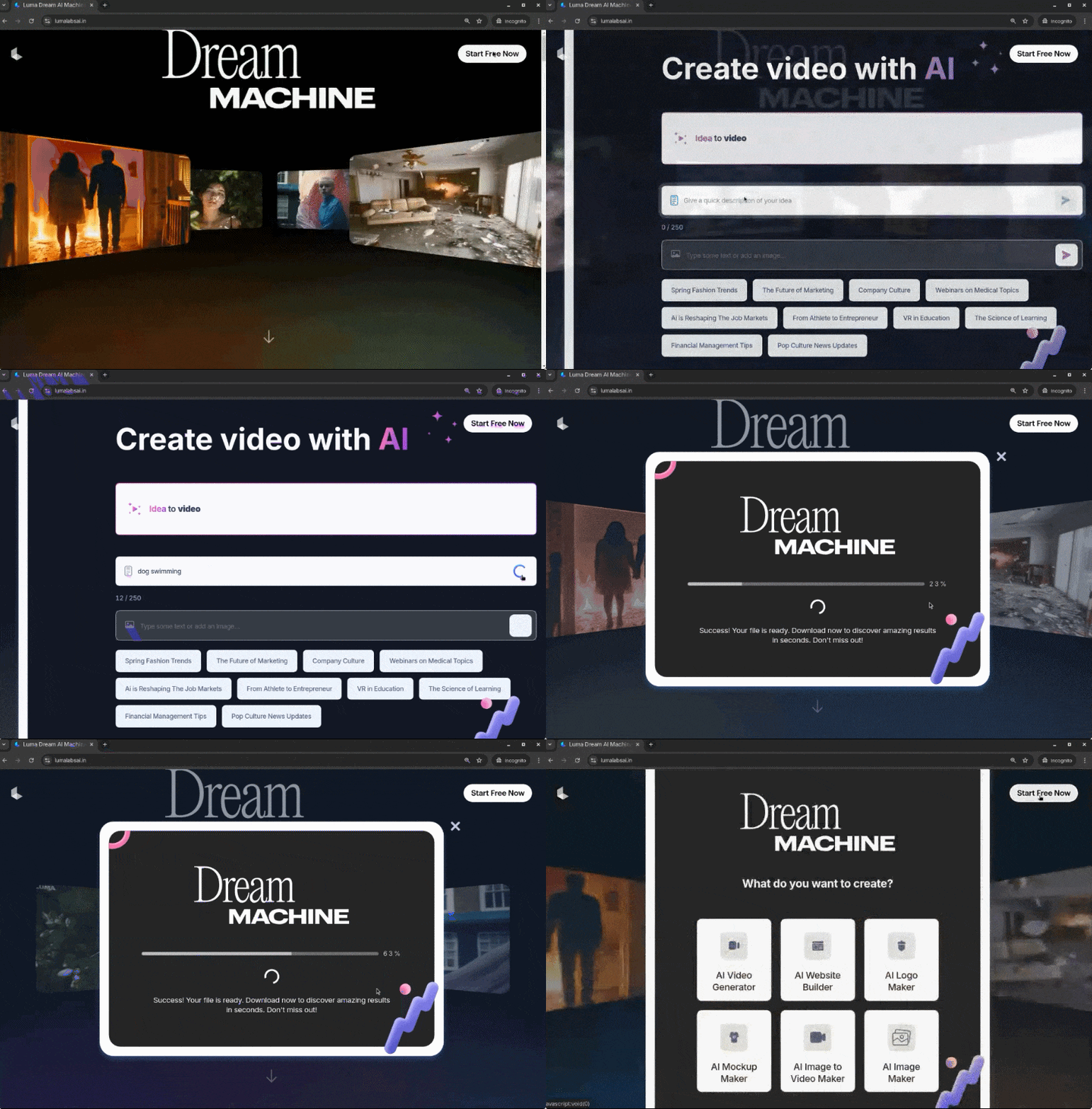
When you visit the fake Luma AI website, you are met with an interface that is an exact copy of the original Luma AI site. On the fake Luma AI website, the user clicks the "Start Free Now" button and selects one of the various video-generation functions.
2. Serving the Malware
When the user clicks the create button, a loading bar appears that imitates a working AI model. A few seconds later, when the new video is supposedly ready, a Download button appears. This leads to a ZIP archive being downloaded onto the victim's host.
3. Running the Malware
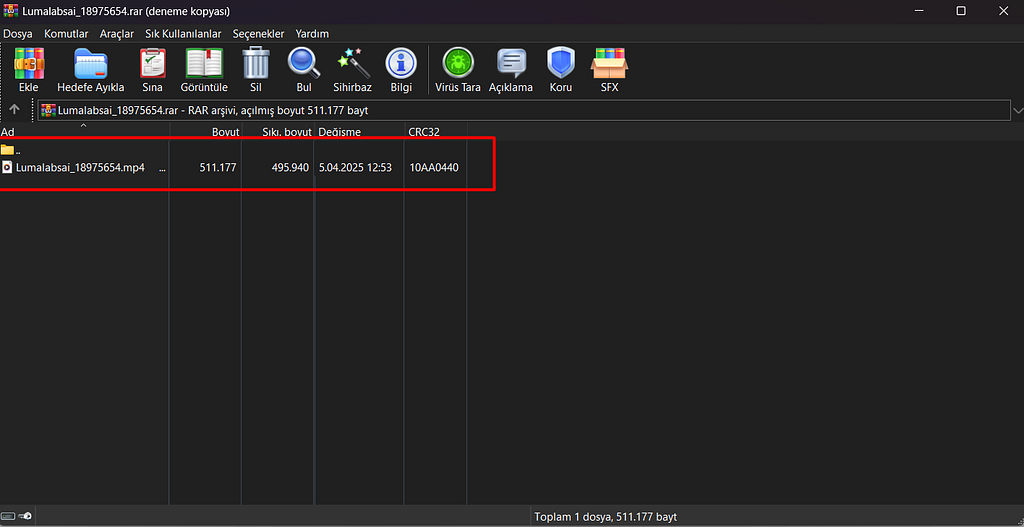
The ZIP file the user downloads is set up so that, from the outside, a normal user would not notice anything. This file, which at first glance looks like a video with an MP4 extension, is actually — when you look at its contents — an EXE file with a virus embedded inside it.
When you open this innocent-looking file, what happens in the background?
- An info stealer virus can run and all your passwords can be stolen.
- A RAT can run and remote access to your computer is established.
- A keylogger can run and every key you press is recorded.
And you can run into many more scenarios like these.
How Did We Tell Whether the Downloaded File Was Really a Video?
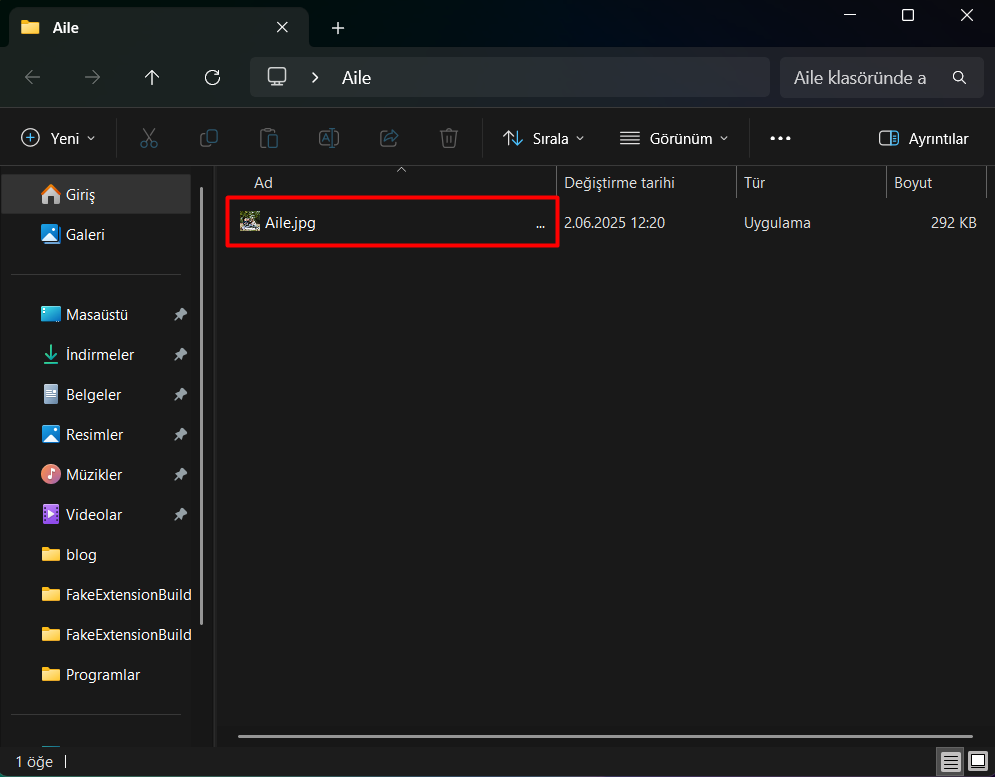
Let's go back to the previous image once more. You will see the THREE DOTS after the file name that normal users don't notice at first glance.
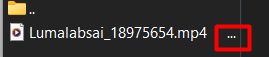
The three dots we see here are a sign that the file's name is longer than what we see on screen. When we move the file to the desktop and try to rename it via the Rename option, we will see that its real extension is hidden while the file is being named.
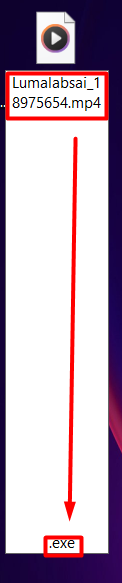
How Is This Possible?
Under normal conditions, characters this long and space-like cannot be used in a file name. For example, the Windows operating system does not let you add dozens of consecutive spaces to a file name. But in this example we examined, the attackers managed to lengthen the file name in an unusual way.
So how?
When we examine the file's contents in detail, we see that 13 special characters were placed right after the visible file name. These characters are not ordinary spaces; on inspection we see that after the file's visible name, 13 special Braille Pattern Blank (Unicode: U+2800, UTF-8: E2 A0 80) characters were used. Braille is a special Unicode character representing a symbol from the Braille alphabet developed for the visually impaired.

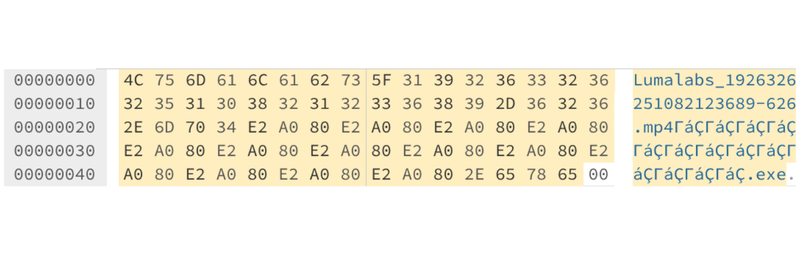
The resulting file name — Lumalabs_1926326251082123689-626.mp4⠀⠀⠀⠀⠀⠀⠀⠀⠀⠀⠀⠀⠀.exe — pushes the extension out of the user's view to make the file look less suspicious. If we push it far enough, only the mp4 part is shown to the user when they view the file, and the extension goes unnoticed.
Hands-On
Let's apply this extension manipulation together using a program I wrote, and examine in detail how they make a realistic virus.
You can review the code of the program I used, and download and try it yourself, from my GITHUB account.
In this exercise, using the methods I mentioned above, we will try to make our virus look like a photo file to the user.
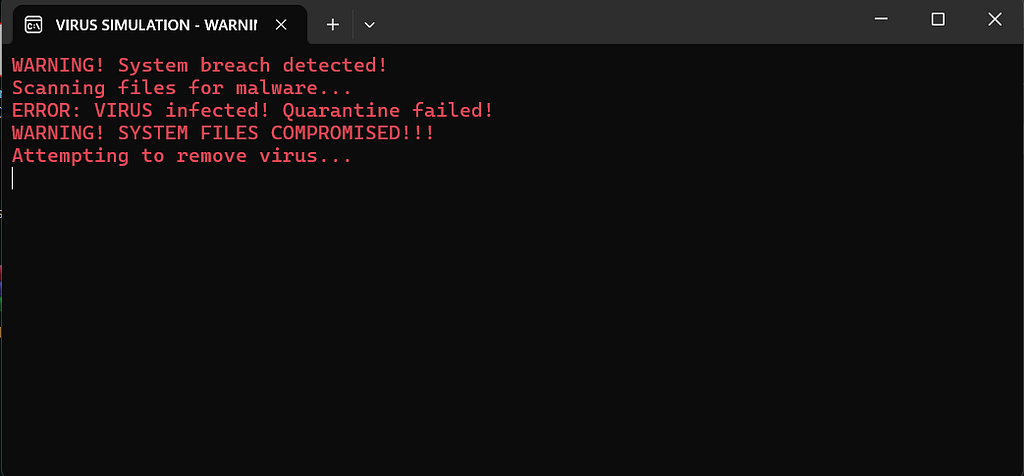
First, since I won't use a real virus in our exercise, I will create a representative BAT file. When this file runs, a CMD window will open and it will simply act like a virus. I save the file I created with the name Aile.bat.
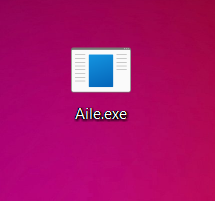
Using resource-editing applications like Resource Hacker, I make the file a bit more realistic by changing its icon and contents.
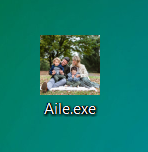
Now it's time to manipulate the file's extension. To make this easier, I designed a simple Fake Extension Builder that anyone can use comfortably. You can access and download the source code of my open-source application HERE.
We open our application.
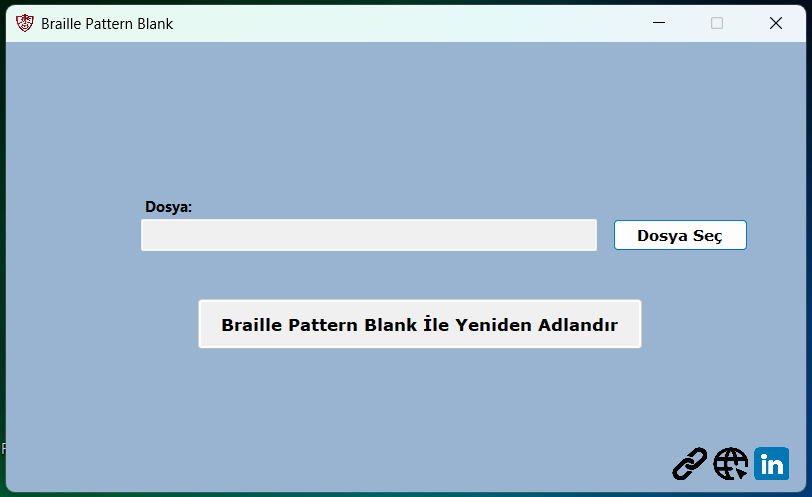
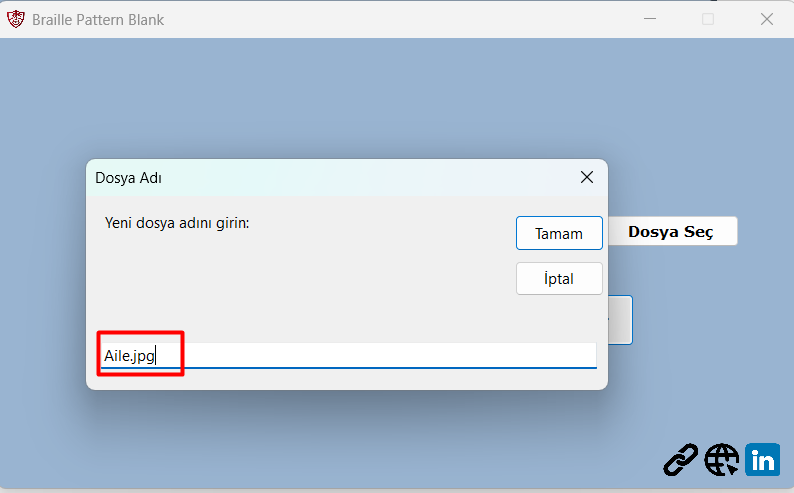
On the screen that opens, we select the file whose name we want to change and press the rename button.
When we look at the desktop, we can see that the extension of the new file we created looks just like a real image file.
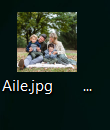
In this state it can be spotted by a careful eye on the desktop. But once we place our virus inside another folder, it becomes much harder to tell apart from the real thing.
When the file is run, the hidden malware becomes active and starts carrying out various malicious operations on the user's system.
Ways to Protect Yourself
1. Pay Attention to the Names of the Sites You Visit
You should pay attention to the site name in the address bar of the site you visit. If there are letter tricks or strange extensions, you should leave the site immediately. (For example faceook.com, gooogle.com, instragrann.com)
2. Don't Always Trust the Sites at the Top of the Search
The sites that appear at the top of the page when you search are not always trustworthy. With various ads and SEO work, it is easy to push malicious sites to the top of a search. Be careful when visiting sites marked as advertisements.
3. Nothing Is Free
Stay away from pages and ads that claim to give you the free version of paid apps and sites. Nothing is given for free; downloading such apps and logging into such sites is always dangerous.
4. Inspect the Files You Download
You should be very careful with files downloaded from sites you are visiting for the first time in particular.
Some steps you should pay attention to:
1- Check the file extension: The extension of the file you downloaded may have been manipulated; always check the file's extension.
2- Check the file name: It may be very long, full of spaces, or contain random symbols or invisible characters.
In this post I touched on the opportunities AI offers as well as the threats it brings with it, and in particular the Braille Pattern Blank method used to manipulate file extensions. I hope it was informative for you. See you in the next post.